Git & GitHub Essentials
From Basics to slightly advanced
Introduction
What is Git?
- A distributed Version Control System (VCS).
- Think of it as a "supercharged save button" with infinite history.
- Why use it?
- Track every change ever made.
- Revert back if things break.
- Work together without overriding each other's code.
Git vs. GitHub
They are not the same!
Git (The Tool)
- Installed local on your machine.
- Works offline.
- Manages history locally.
GitHub (The Service)
- A website in the cloud.
- Needs internet.
- Hosts Git repositories for collaboration.
Analogy: Git is like writing a book on your laptop. GitHub is like publishing it in a library.
Basic Workflow
Getting Started
- First-time setup: Configure your identity
git config --global user.name "Your Name"git config --global user.email "you@example.com" - To start a new project from scratch:
git init
Creates a new Git repository in the current directory - To download an existing project:
git clone <url>
Downloads a copy of a remote repository to your machine
Connecting to GitHub
After git init, connect your local repo to GitHub:
- Create a new repository on GitHub (don't initialize with README)
- Link your local repo to GitHub:
git remote add origin <repo-url> - Make your first commit:
git add .git commit -m "Initial commit" - Push to GitHub:
git push -u origin main
The-usets upstream tracking for future pushes
The Three Stages
Data flows between these three areas:
- Working Directory
(Where you edit files currently) - ↓
git add↓ - Staging Area
(The "Waiting Room" for changes) - ↓
git commit↓ - Repository
(Permanent history)
Core Commands
git status
Always run this first! Shows what's changed.git add <file>
Moves changes to the Staging Area.git commit -m "message"
Saves staged changes to the Repository snapshot.
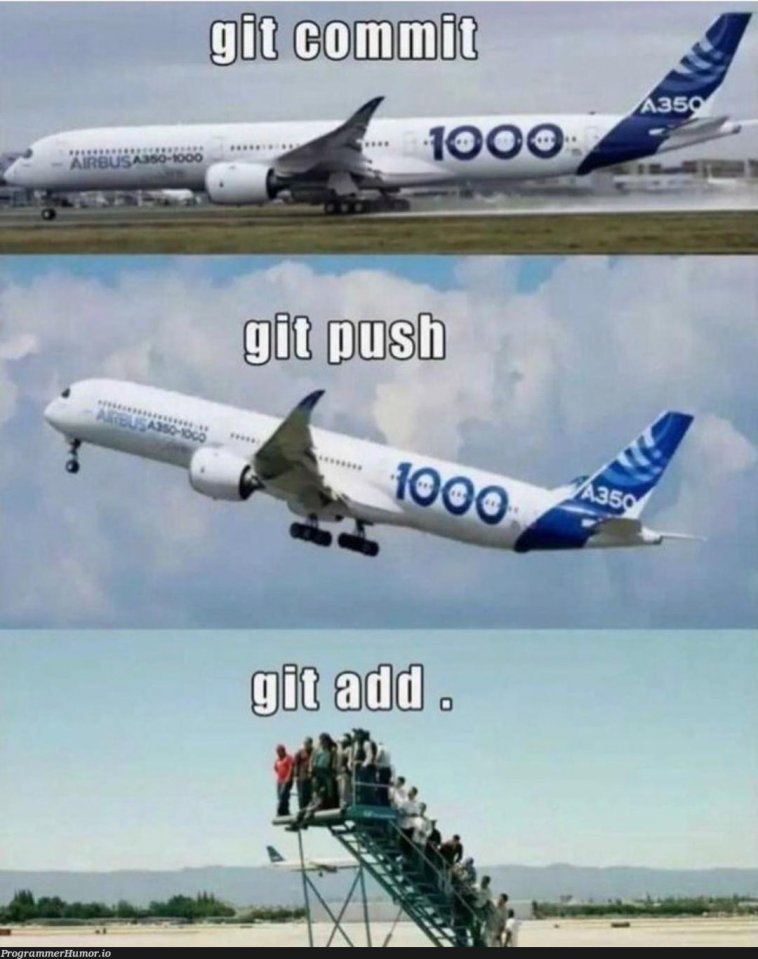
Why Add ≠ Commit?
The Shopping Cart Analogy:
git addis putting items into your cart. You can still add more or put some back.git commitis checking out and paying. You get a receipt, and the transaction is final.
This lets you group related changes precisely before saving them.
Branching
What is a Branch?
A parallel version of your repository. It lets you work on different things at the same time without interfering with each other.
The Tree Analogy
- Main Trunk (main/master): The stable, production-ready code.
- Branches: New limbs growing off the trunk to test ideas. If they work, they merge back. If not, they are cut off.
Branching Commands
- Create a branch:
git branch feature-login - Switch to a branch:
git checkout feature-login - Pro Tip: Create AND switch in one step:
git checkout -b feature-login
Merging
What is Merging?
Taking changes from one branch and incorporating them into another.
How to Merge (Locally)
To merge feature-branch into main:
- Switch to the destination branch first:
git checkout main - Run the merge command:
git merge feature-branch
On teams, we usually use Pull Requests (PRs) on GitHub instead of manual local merges.
Merge Conflicts
Why Conflicts Occur
Git is smart, but not magic. Conflicts happen when:
- Two branches changed the same line in a file differently.
- One branch deleted a file while another modified it.
Git stops and asks you: "Which one do you want?"
How to Resolve Them
1. Open the conflicted file. Git marks the troublesome area:
<<<<<<< HEAD (Current Change)
This is the code on your current branch.
=======
This is the incoming code from the merge.
>>>>>>> feature-branch (Incoming Change)
2. Manually delete the markers and keep the code you want.
Finishing the Merge
Once the file looks correct:
- Tell Git you resolved it:
git add <resolved-file> - Finish the process by creating a commit:
git commit
Advanced Tools
Rebasing (Optional)
- What it does: Rewrites history to make it a straight, clean line. It moves your entire branch to begin at the tip of the main branch.
git rebase main(run while on feature branch)- Golden Rule: Never rebase public branches that others are working on!
Merge vs Rebase: Visual Comparison
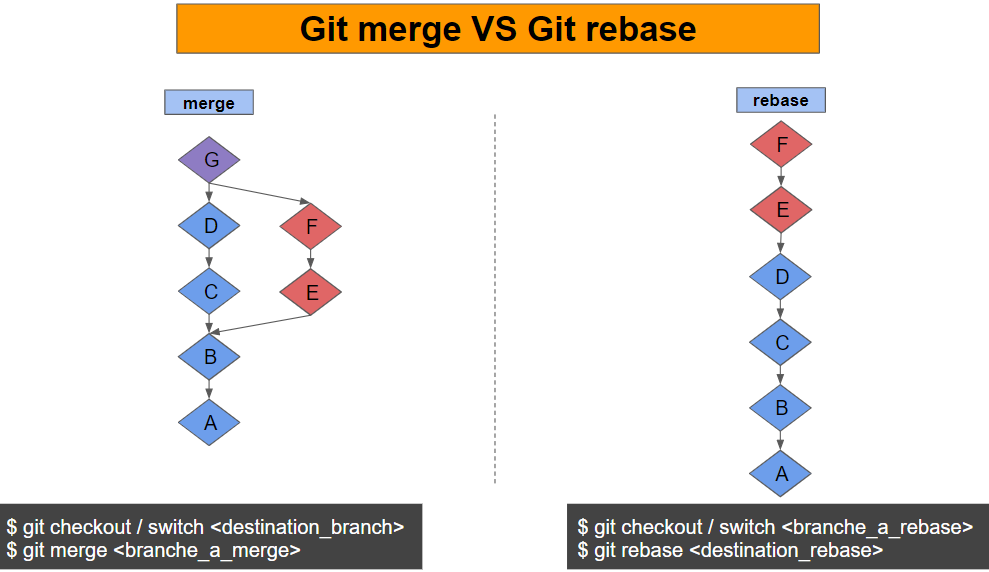
Merge: Creates a merge commit, preserves full history.
Rebase: Creates a linear history, rewrites commits.
Stashing (The Pause Button)
Useful when you aren't ready to commit but need a clean working directory to switch branches.
- Save changes temporarily:
git stash - View stashed changes:
git stash list - Bring changes back:
git stash pop
Best Practices
Be a Good Teammate
- Write meaningful commit messages.
Bad: "fixed stuff" | Good: "Fix login timeout bug on mobile" - Keep commits small & focused. One task per commit.
- Use
.gitignoreproperly. Don't commit passwords, huge files, or build folders. - Pull often, push regularly. Stay synced with the team.
Conventional Commits
A standard for commit messages:
- feat: A new feature
- fix: A bug fix
- docs: Documentation only changes
- style: Formatting, missing semi-colons, etc
- refactor: Code change that isn't a fix or feature
To learn more click below:
Conventional Commits Cheatsheet
Git Command Cheatsheet
Setup & Configuration
git config --global user.name "Your Name"
Set your usernamegit config --global user.email "you@example.com"
Set your emailgit --version
Check Git version
Getting Started
git init
Initialize a new Git repositorygit clone <url>
Clone a remote repositorygit remote add origin <url>
Link to a remote repository
Basic Commands
git status
Check working directory statusgit add <file>orgit add .
Stage changesgit commit -m "message"
Commit staged changesgit log
View commit history
Syncing with Remote
git push
Push commits to remotegit push -u origin main
Push and set upstreamgit pull
Fetch and merge remote changesgit fetch
Download remote changes without merging
Branching
git branch
List all branchesgit branch <branch-name>
Create a new branchgit checkout <branch-name>
Switch to a branchgit checkout -b <branch-name>
Create and switch to new branchgit branch -d <branch-name>
Delete a branch
Merging & Rebasing
git merge <branch-name>
Merge a branch into current branchgit rebase <branch-name>
Rebase current branch onto anothergit add <resolved-file>
Mark conflict as resolved
Stashing
git stash
Save changes temporarilygit stash list
List all stashesgit stash pop
Apply and remove last stashgit stash apply
Apply last stash without removing itgit stash drop
Delete last stash
Undoing Changes
git reset <file>
Unstage a filegit reset --hard
Discard all local changesgit checkout -- <file>
Discard changes in a filegit revert <commit>
Create new commit that undoes a previous commit
Thank You!